How to debug PHP CLI applications using XDebug and PHPStorm
Published
•2 min read
Problem statement
It is a very common requirement to debug a PHP CLI application while you are working on a new feature, or fixing a bug.
Statements like var_dump, print_r, etc. work, but sometimes it’s ideal to check the execution flow in detail, and view the state of the variables in the flow. PHP xdebug, to your rescue.
Assumption
We’re assuming that you’ve the xdebug extension installed. If not, follow these instructions.
Let's jump in
- Configure PHP CLI interpreter in PHPStorm. If you haven’t done this already, you can find the steps here
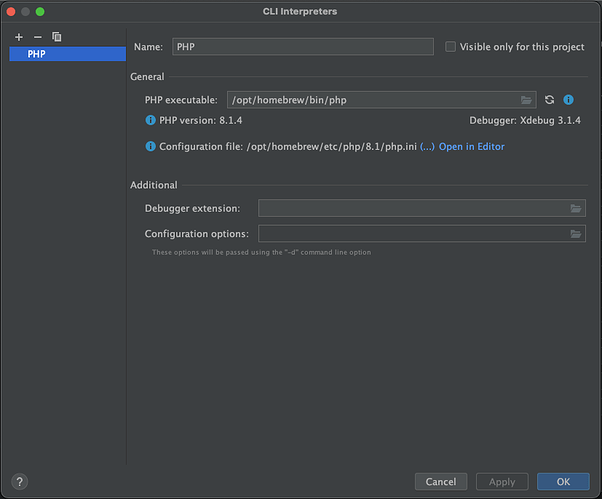
- Take note of important information such as:
client_host,client_port. You can obtain their values by executingphp -i | grep xdebugfrom your machine. Let’s say,client_hostislocalhostandclient_portis9003 - Enter the details in PHPStorm like this:
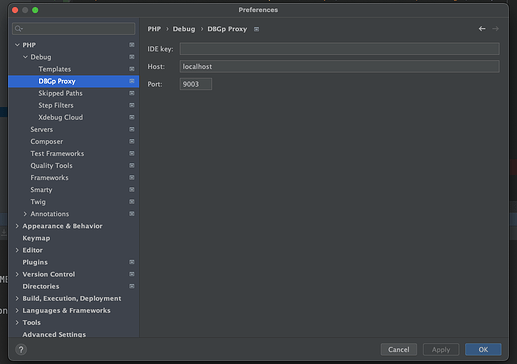
- Start a
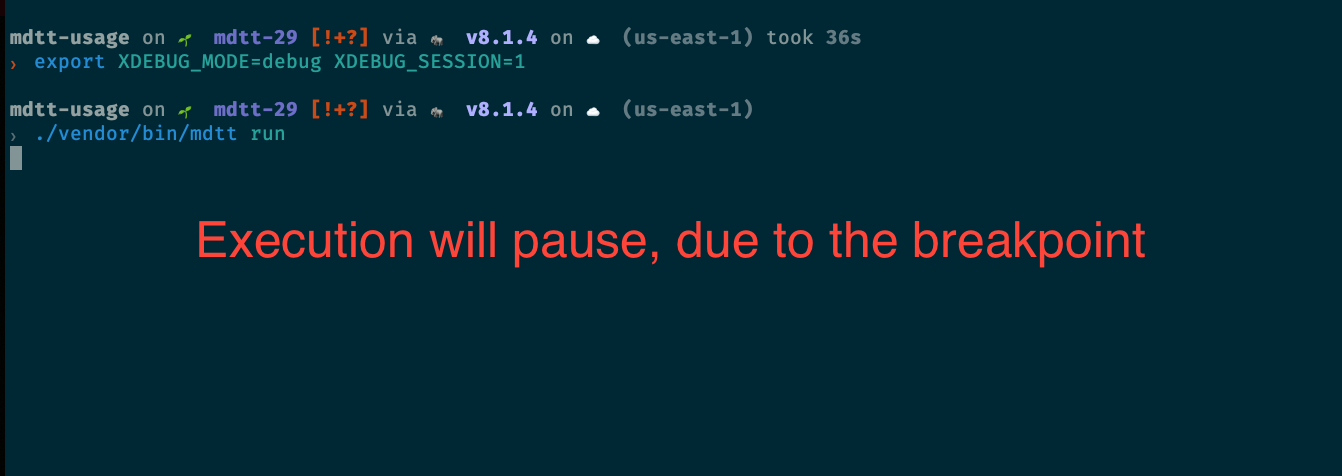
xdebugsession from the command line by executingexport XDEBUG_MODE=debug XDEBUG_SESSION=1 - Make sure PHPStorm is listening to connections
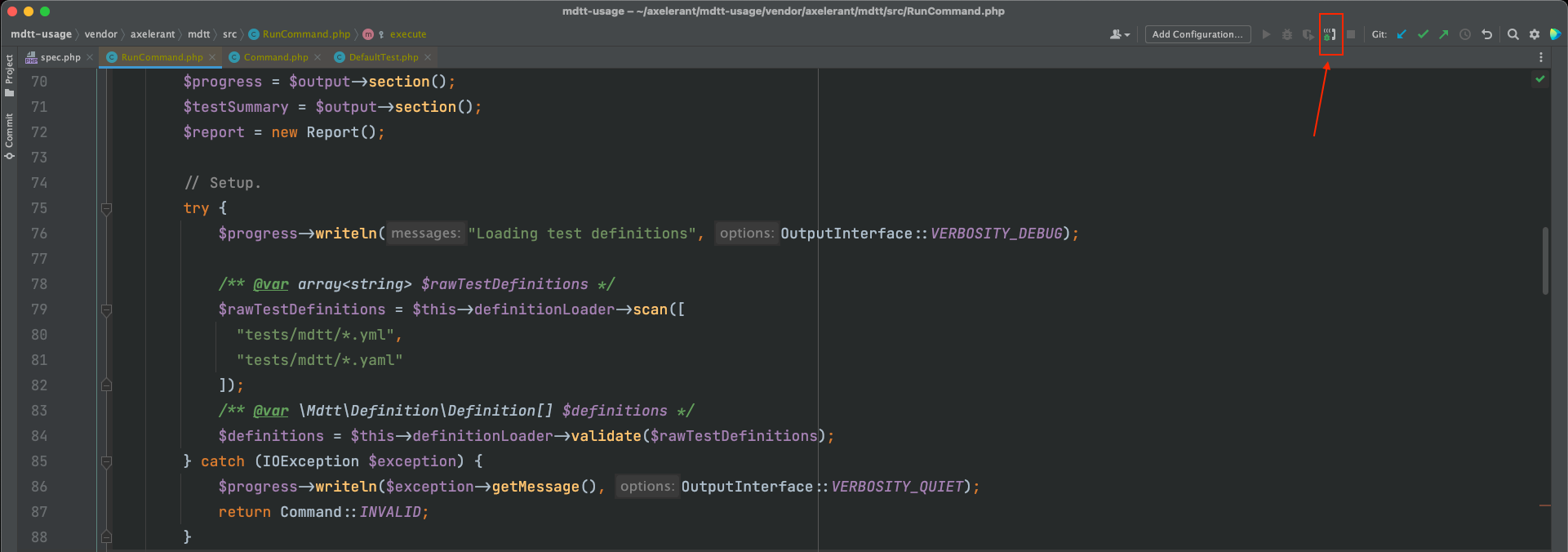
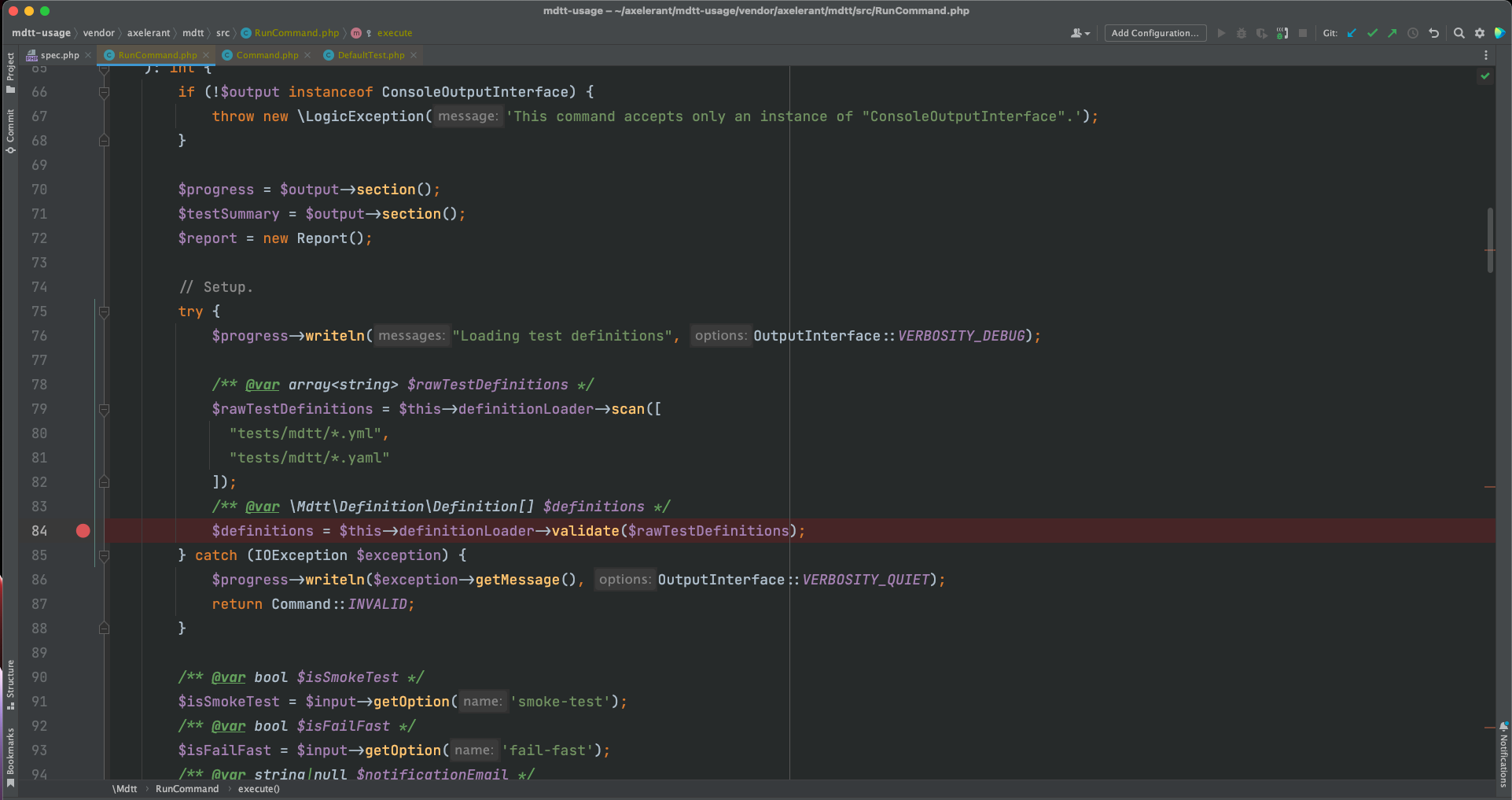
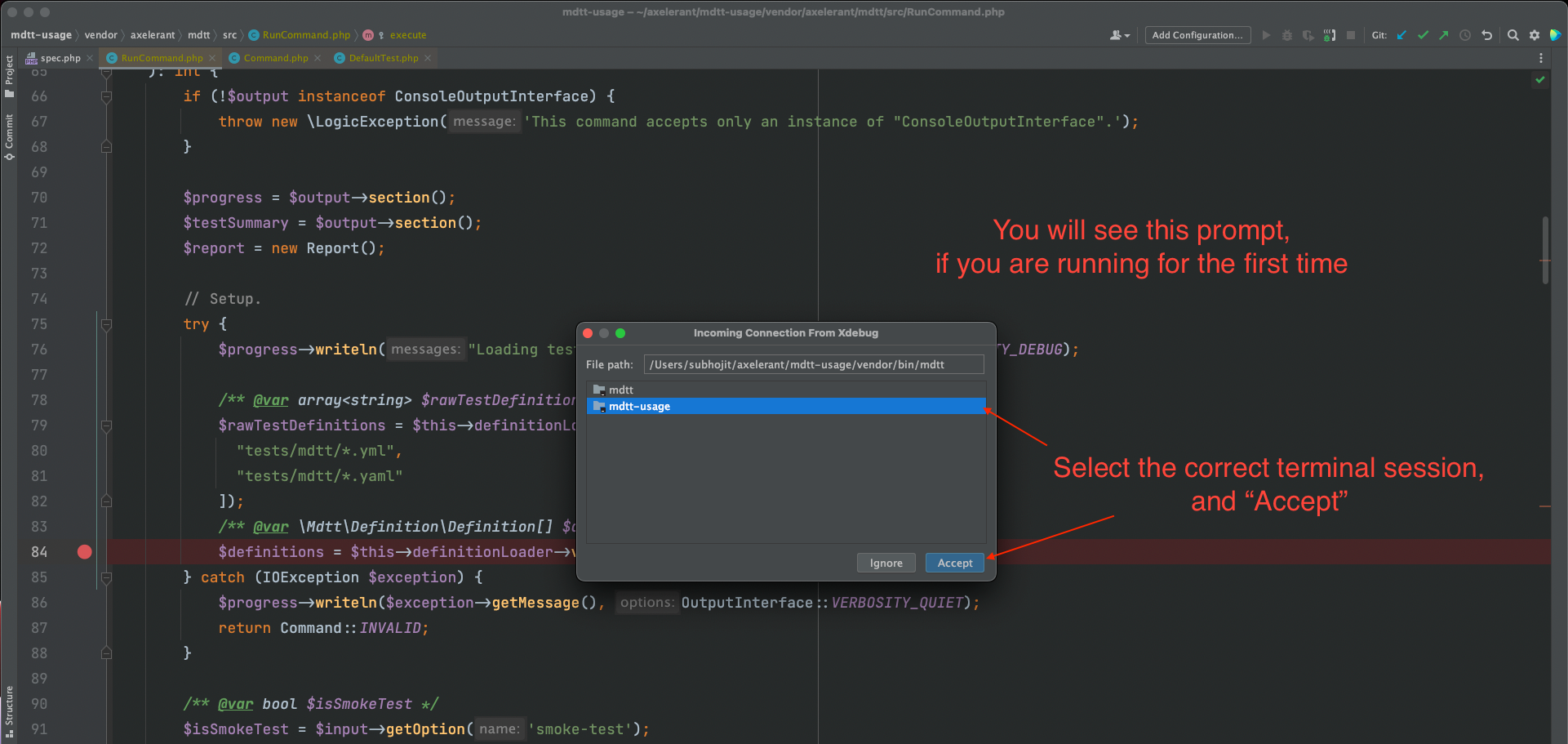
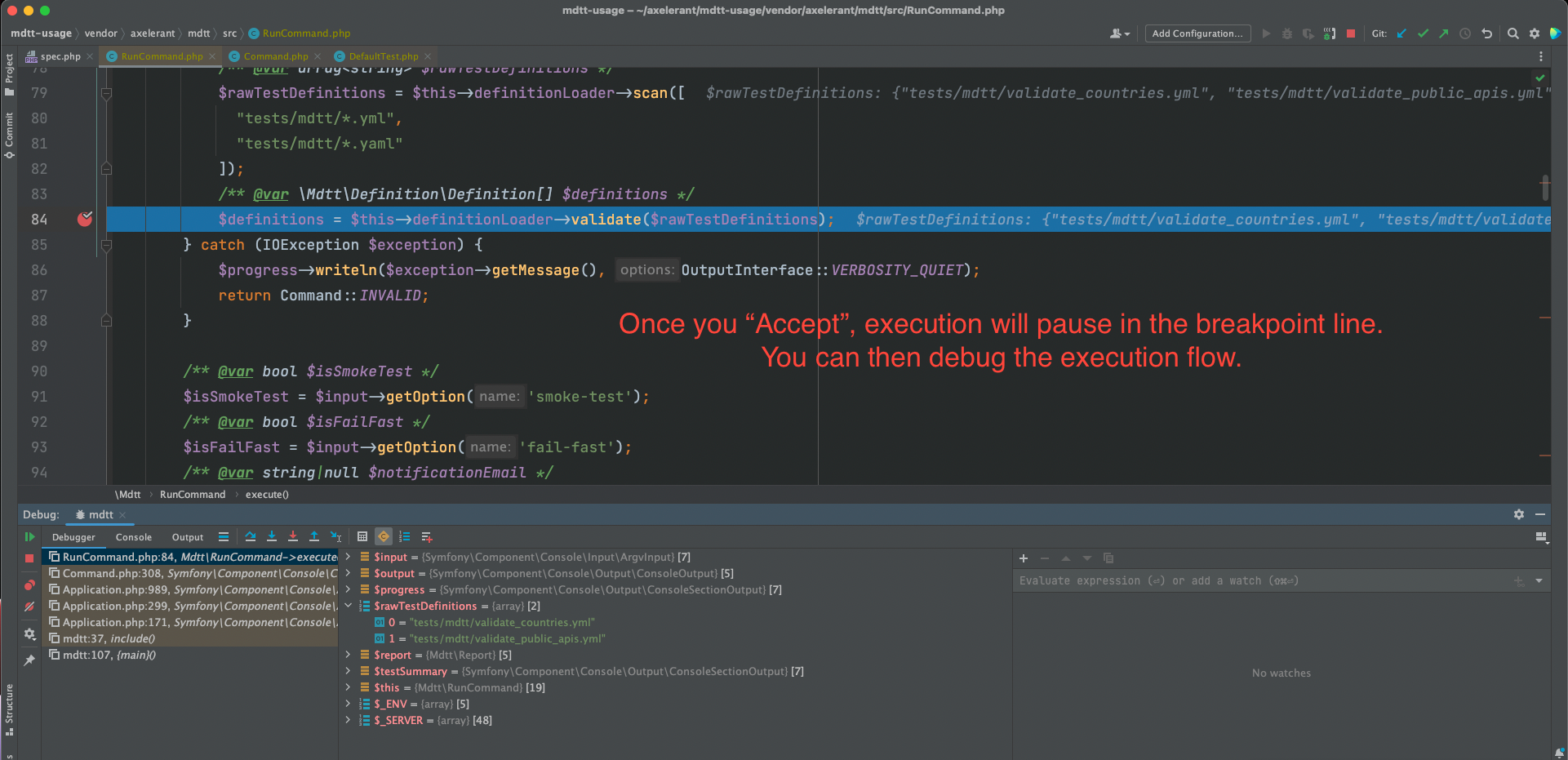
- Add a breakpoint in PHPStorm, and run the CLI app from the command line. Here are some screenshots for your reference:
Conclusion
I hope that you are now aware of how to do the setup. Please feel free to reach out via comments in case you are facing any issues.